← Presentation home · Part 10 of 13
Wiring the proxy in, one config change
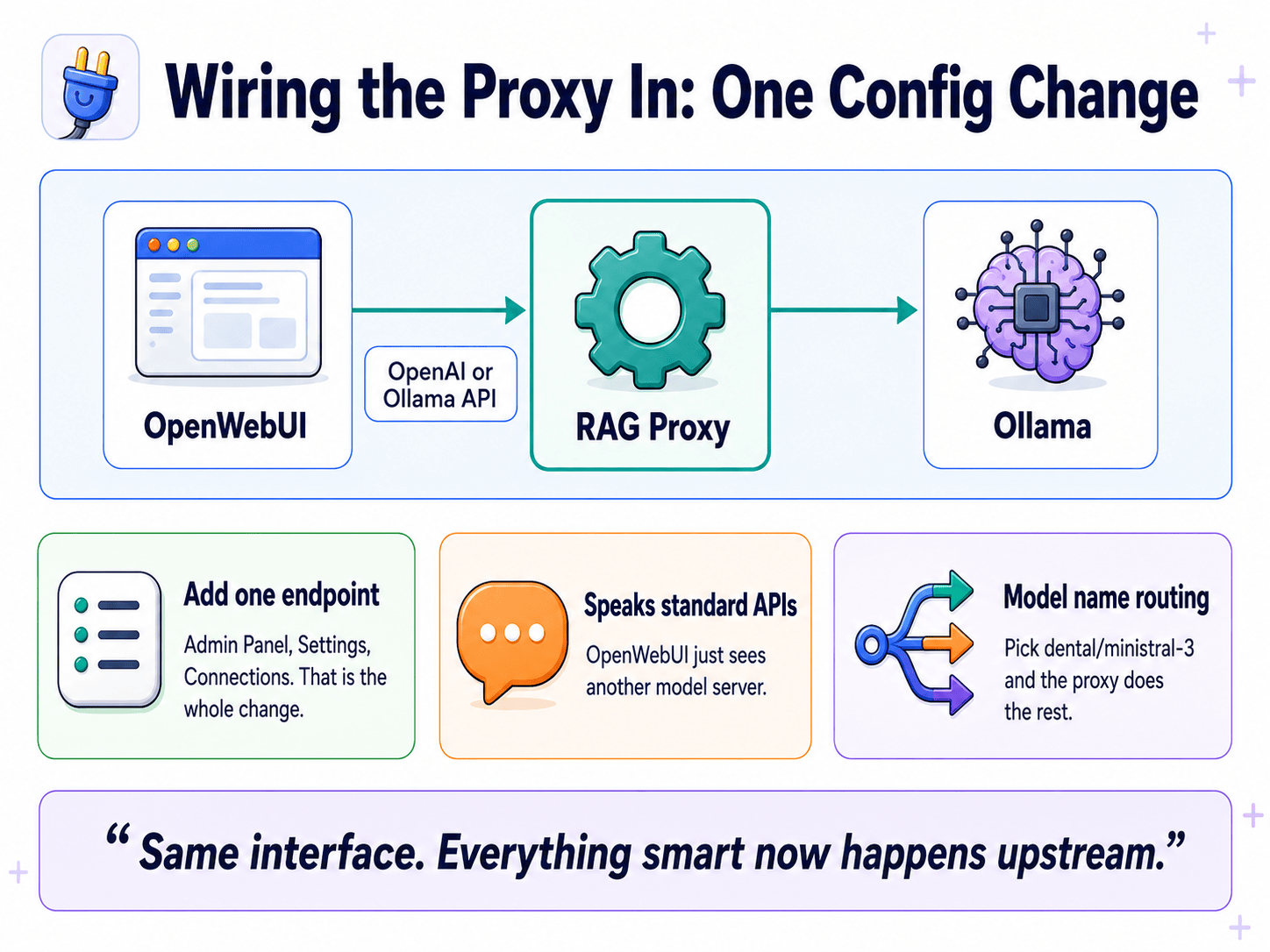
Wiring the proxy in: one config change
TL;DR
The proxy speaks both the OpenAI API and the Ollama API, so Open WebUI thinks it is just another model server. You add one connection in Admin → Connections, save, and the proxy's models appear in the dropdown. No plugin, no fork, no app rebuild. Pick a model name like dental/ministral-3 and the prefix tells the proxy which knowledge base to search.
The headline
The proxy concept from the previous deep-dive sounds like it should require rebuilding your whole setup. It does not. You add one connection in Open WebUI's settings and you are done.
The reason this works: the proxy speaks the two protocols every local AI client already knows.
- OpenAI API, the de facto standard for AI chat clients
- Ollama API, the native protocol Ollama itself uses
Open WebUI already talks both. So from Open WebUI's point of view, the proxy is just another model server. You change a URL. Nothing else.
The actual setup
Option A, Connect it as an OpenAI-compatible endpoint
- Admin Panel → Settings → Connections → OpenAI API → Add Connection
- URL:
http://your-proxy-host:PORT/v1(the proxy defaults to port 7079, sohttp://localhost:7079/v1) - API Key: anything non-empty if the proxy is not checking auth.
not-neededworks. - Save
Option B, Connect it as an Ollama-compatible endpoint
- Admin Panel → Settings → Connections → Ollama API → Add Connection
- URL:
http://your-proxy-host:PORT(no/v1on the Ollama path) - Save
Either way, that is the whole integration. Send a chat and the request now flows:
OpenWebUI → proxy → retrieval → Ollama → answer…and the response flows back the other direction. The user sees a normal chat.
Model name routing: the clever part
This is the detail worth slowing down on, because it is how one proxy serves many knowledge bases.
The proxy uses the model name itself as the routing instruction. Whatever name the proxy advertises shows up in Open WebUI's model dropdown. Pick a name, and the name tells the proxy what to do.
| Model name picked | What the proxy does |
|---|---|
ministral-3:14b | No prefix, no brain. Pure passthrough, no RAG. |
dental/ministral-3:14b | Prefix dental → search the dental brain, then forward to ministral-3. |
perl-ops/qwen3:8b | Prefix perl-ops → search the perl brain and the ops brain, forward to qwen3. |
So the user picks dental/ministral-3 from a normal dropdown. Behind the scenes the proxy reads that prefix, searches the right document set, injects the context, and routes to the right model. One system, unlimited knowledge domains, and the only control surface is the model selector the user already knows.
This is what "everything smart now happens upstream" means in practice. The chat app stays dumb and familiar. The intelligence moved one hop back, into the proxy. Adding a new knowledge domain is now a question of "create a brain" not "build a new UI."
Why model-name routing is the elegant move
A more naive design would invent a new control surface. A "knowledge base picker" widget in the chat app. A second dropdown next to the model selector. A right-click menu. A keyboard shortcut. Each of those is more code, more documentation, and more learning curve.
The model-name-as-routing trick avoids all of it. The control surface already exists. Users already pick a model. We just make the name do double duty, model selection and knowledge selection in a single click.
That kind of layering, finding the existing affordance instead of inventing a new one, is the design move that separates "infrastructure people use" from "infrastructure that lives in a wiki."
Gotchas worth knowing
Model list endpoint
If the proxy does not implement the model-list endpoint properly, Open WebUI's "verify connection" button may error. Not fatal, just type the model name into the allowlist manually and it works. The proxy does implement the endpoint, so this is mainly a concern if you write your own version.
Name collisions
If two connected servers (proxy + a direct Ollama, say) both expose a model with the same name, set a prefix on the connection to disambiguate. Open WebUI allows this and it solves the conflict without renaming anything.
Background chats
Open WebUI runs background calls against the model, chat title generation, autocomplete suggestions, follow-up suggestions. The proxy detects and skips RAG on those (the code looks for title-generation patterns and passes them straight through). Otherwise those background calls would waste retrieval cycles on requests where retrieval is meaningless.
What this gives you that you did not have before
Before the proxy:
- One chat app, one knowledge base, glued together
- No way to reuse the knowledge from another tool
- The chat app's defaults rule
After the proxy:
- Any number of knowledge bases, picked from a dropdown
- The knowledge is reusable from any OpenAI- or Ollama-compatible client (curl, Python script, another chat app, a Slack bot)
- The proxy's defaults rule, and you wrote them
The work to integrate is the same in both cases (one configuration). The unlock is enormous.
FAQ
Do I have to change anything in Open WebUI besides the connection? No. That is the headline. One connection entry, and the proxy's models appear in the dropdown like any other.
How does the proxy speak both protocols at once? It implements both sets of endpoints. The OpenAI-style paths (/v1/models, /v1/chat/completions) and the Ollama-style paths (/api/tags, /api/chat). The client picks whichever it prefers, the proxy answers in kind.
What if I want a knowledge base the proxy does not know about yet? Register it as a new brain (one environment variable, BRAIN_<NAME>), index your documents into it, and it immediately becomes available as a model-name prefix. No proxy code changes.
Does this work with chat apps other than Open WebUI? Yes. Anything that speaks the OpenAI or Ollama protocol can talk to the proxy. CLI tools, curl scripts, custom apps, even other chat UIs. The proxy is interface-agnostic by design.
Could I run multiple proxies? Sure. Different proxies on different ports, each serving different brains or different access levels. They are just servers. Compose them however you need.
If you only remember one thing
One connection in settings. One model-name prefix at chat time. That is the entire user-facing interface for "switch to a different knowledge base." Familiar shapes, new powers underneath.