← Presentation home · Part 8 of 13
Where normal RAG quietly breaks
Deep dive
Where normal RAG quietly breaks
TL;DR
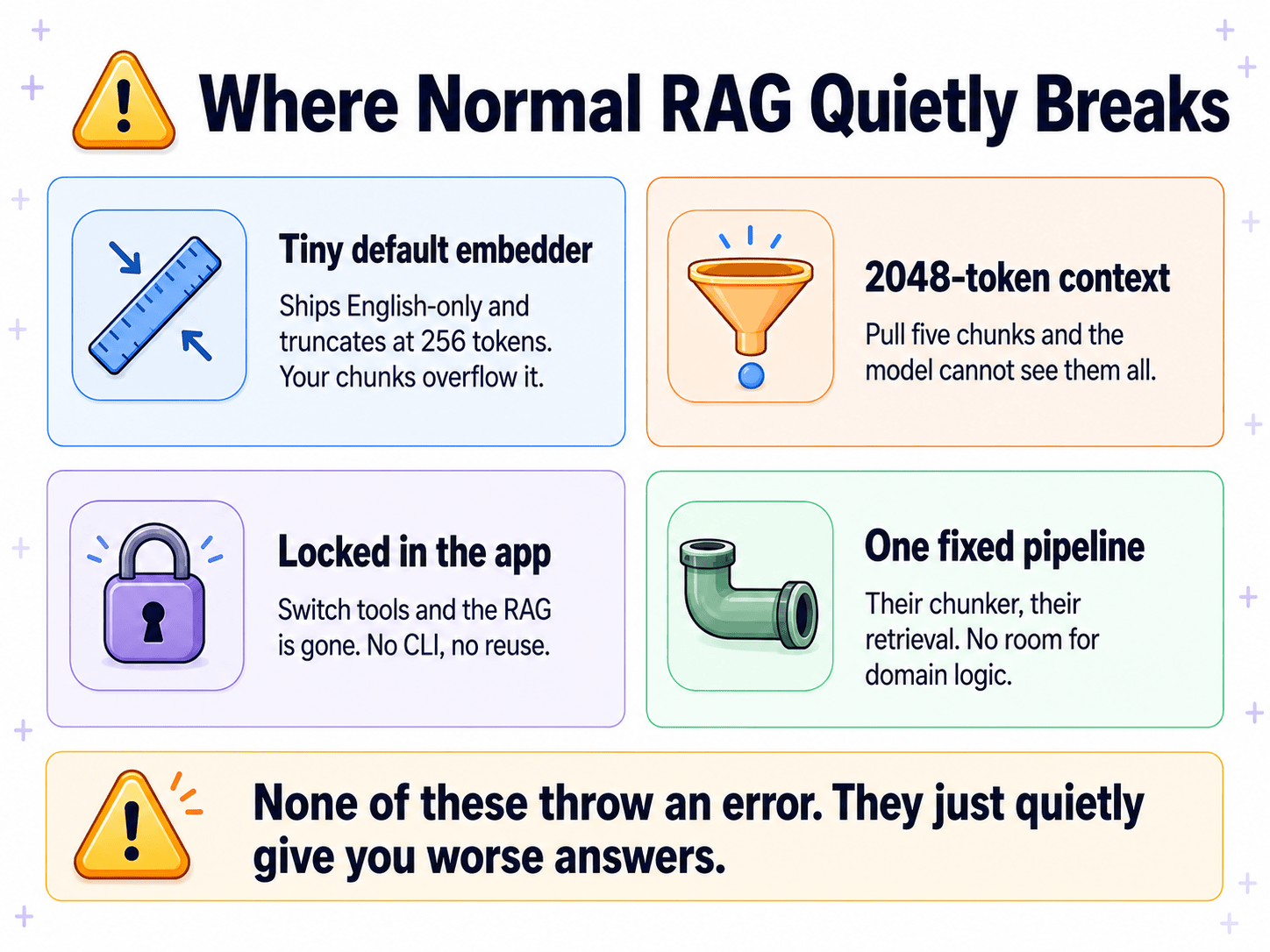
Built-in RAG fails in four ways, and none of them throw an error. The tiny default embedder truncates your chunks. Ollama's 2048-token context window drops most of what you retrieved. The RAG is locked inside one app. The pipeline is one fixed shape. The dangerous part is the silence, nothing tells you anything is wrong.
The hinge
The previous deep-dive showed OpenWebUI's built-in RAG working. This is the slide that turns "this is fine" into "I need something better." It is the architectural pivot of the whole tutorial.
The problem with built-in RAG is not that it breaks loudly. It is that it breaks silently. Nothing errors. Nothing turns red. You just get answers that are a little worse than they should be, and you have no signal that anything is wrong.
That is the most dangerous kind of failure, especially in a setting where someone is trusting the answer.
The four failure modes
1. Tiny default embedder
OpenWebUI ships with all-MiniLM-L6-v2 as the default embedding model. It is chosen because it runs anywhere, tiny model, fits on a Raspberry Pi. The trade-offs:
- Tiny. 22M parameters versus
bge-m3's 568M. - English-only. Other languages get garbage embeddings.
- Truncates at 256 tokens. Any text longer than that gets cut off before embedding.
Here is the quiet break: the default chunk size is 1000 characters, which is often more than 256 tokens of text. So the embedder never even sees the end of each chunk. It embeds the first portion, silently drops the rest. Your retrieval is working off half-chunks and nothing tells you.
The fix is one setting (switch to bge-m3). The problem is nothing in the UI flags that you should.
2. 2048-token context
Ollama serves models with a 2048-token context window by default, even models that technically support 128,000 tokens.
Now stack the math:
- RAG retrieves 5 chunks
- Each chunk is ~1000 characters (~250 tokens, give or take)
- 5 × 250 = ~1,250 tokens of retrieved context
- Plus your question
- Plus the system prompt
- Plus any chat history
You can easily push past 2048 tokens with just the retrieved context. At a 2048 default, the model literally cannot see all the passages you retrieved. The retrieval did its job, found five good chunks, and three of them fell off the edge of the model's attention.
No error. Just a worse answer.
The fix is one setting (set num_ctx to 8192 or higher). Same problem as failure mode 1, nothing flags that you should.
3. Locked in the app
The RAG lives inside OpenWebUI. The index, the documents, the retrieval logic, all of it belongs to that one application. There is no command-line access, no way to script it, no way to reuse the same knowledge base from another tool.
If you switch chat interfaces, you rebuild everything. If you want to ask the same questions from a cron job, you cannot. If you want to evaluate retrieval quality from the terminal, you cannot. You cannot automate what you cannot reach. Built-in RAG is unreachable by design.
4. One fixed pipeline
You get OpenWebUI's chunker and OpenWebUI's retrieval, full stop. If your documents need:
- Header-aware splitting (treat each Section X.Y as its own chunk)
- Domain-specific handling (preserve table structure, keep diagram captions with diagrams)
- A different retrieval strategy (hybrid search, query expansion, re-ranking)
…there is no room. The pipeline is one shape, and it is not your shape. The app's developers made reasonable defaults for everyone. They are not your defaults.
The reframe: configuration vs architecture
The four failures split cleanly into two kinds.
| Failure | Kind | Fixable from inside? |
|---|---|---|
| Tiny default embedder | Configuration | Yes, change the setting |
| 2048-token context | Configuration | Yes, change the setting |
| Locked in the app | Architecture | No |
| One fixed pipeline | Architecture | No |
The first two are *configuration* problems. You can fix them inside OpenWebUI if you know to look. The dangerous part is that you have to know to look, because nothing flags them.
The second two are *architecture* problems. They are baked into the design, "the RAG lives inside the app" guarantees them. No setting fixes "locked in" or "one fixed pipeline." Those are consequences of where the code lives, not what the code does.
You can patch configuration. You cannot patch architecture. So you move the RAG out.
That is the entire argument of the next deep-dive.
The sentence on the slide
> "None of these throw an error. They just quietly give you worse answers."
Read that one slowly. It is the most important thing on the slide.
In a clinical, legal, or regulated setting, a silently-degraded answer is worse than no answer. No answer makes you go check. A polished, professional-looking answer makes you trust it. Built-in RAG is generating polished, professional-looking, sometimes-incomplete answers, with no warning that you should double-check this one.
Is OpenWebUI bad, then?
No. OpenWebUI is excellent at being a chat interface. The argument here is narrow: its built-in RAG is a *convenience feature*, not a *controllable system*. Keep the interface. Move the RAG. That is exactly what the next deep-dive does.
FAQ
Can't I just fix the settings? The first two failures, yes, if you know they are there. That is the point, though. The defaults are quietly wrong and nothing flags it. And the last two are not settings at all, they are baked into the design.
Does every built-in RAG have these problems? The specifics vary by app. The shape does not. App-layer RAG means inherited defaults and an inaccessible pipeline, whatever the app.
Is OpenWebUI bad, then? No, and the slide makes this point. OpenWebUI is excellent at being a chat interface. The argument is narrow: its built-in RAG is a convenience feature, not a controllable system. Keep the interface, move the RAG.
How would I even know if my retrieval is broken? That is the real problem. Without evaluation tooling, and built-in RAG does not give you any, you would not. You would just see slightly worse answers and chalk it up to "AI being AI." Moving the RAG out gives you a place to actually measure retrieval quality. Slide 12's deep-dive covers the CLI that makes that possible.
If you only remember one thing
The dangerous failures are the ones that do not throw errors. Built-in RAG fails silently. The fix is not better settings, it is moving the RAG to where you can see it.